5 min read
Feb 19 2025
Desktop App
Use the Pivot desktop app to access the platform on macOS, Windows, or Linux, with support for tab-based navigation.
Desktop App
Pivot is available as a desktop app for macOS (Apple silicon only), Windows, and Linux.
The desktop app provides the same core functionality as the web version, with a dedicated desktop interface.
You can download the desktop app from:
https://pivot.app/download
Supported Platforms
- macOS (Apple silicon only)
- Windows
- Linux
Desktop App Features
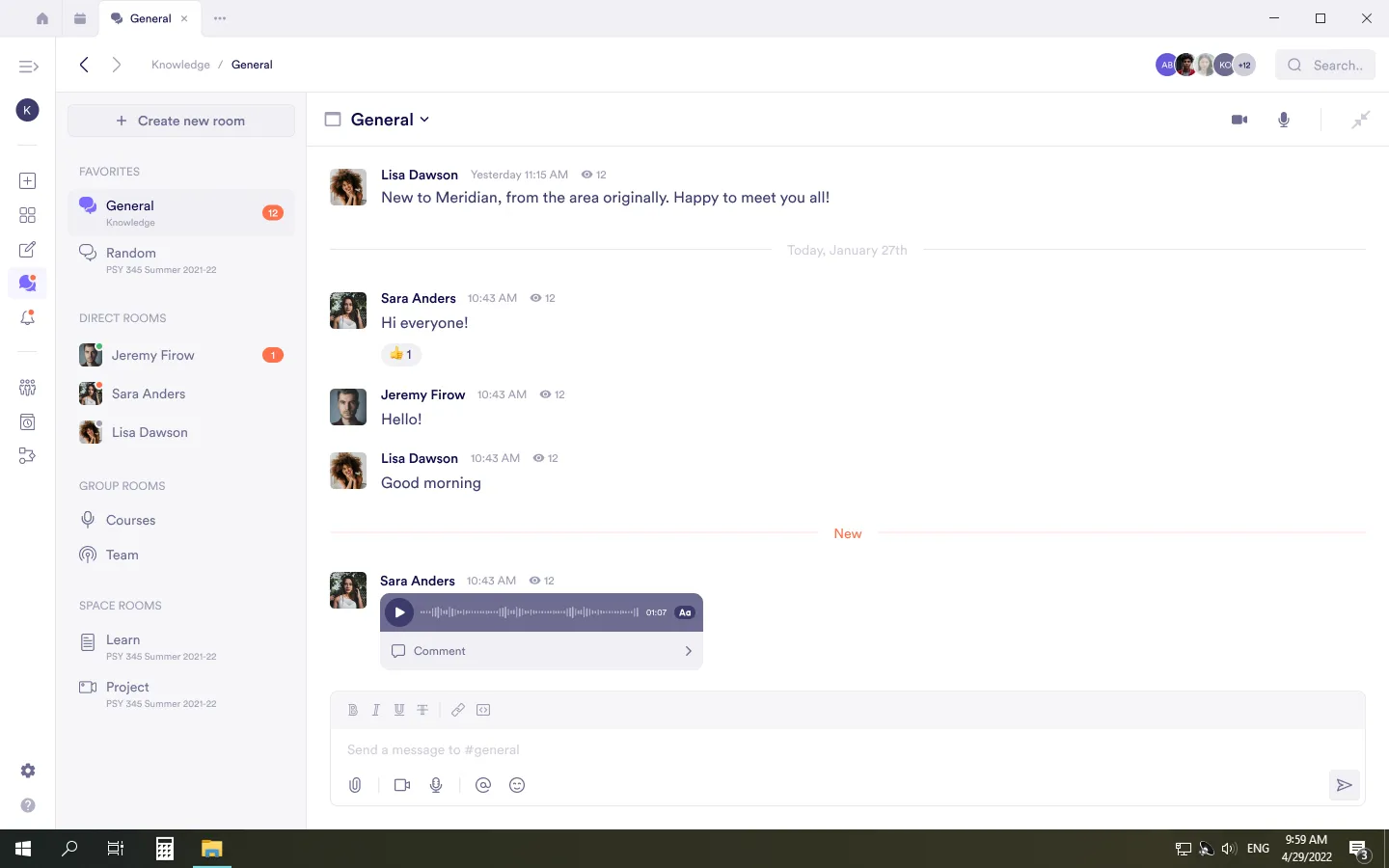
The Pivot desktop app uses a tab-based interface.
Tabs appear at the top of the app and represent open sections, such as:
- Dashboard
- Spaces
- Pages
- Rooms
Each opened section appears as its own tab.
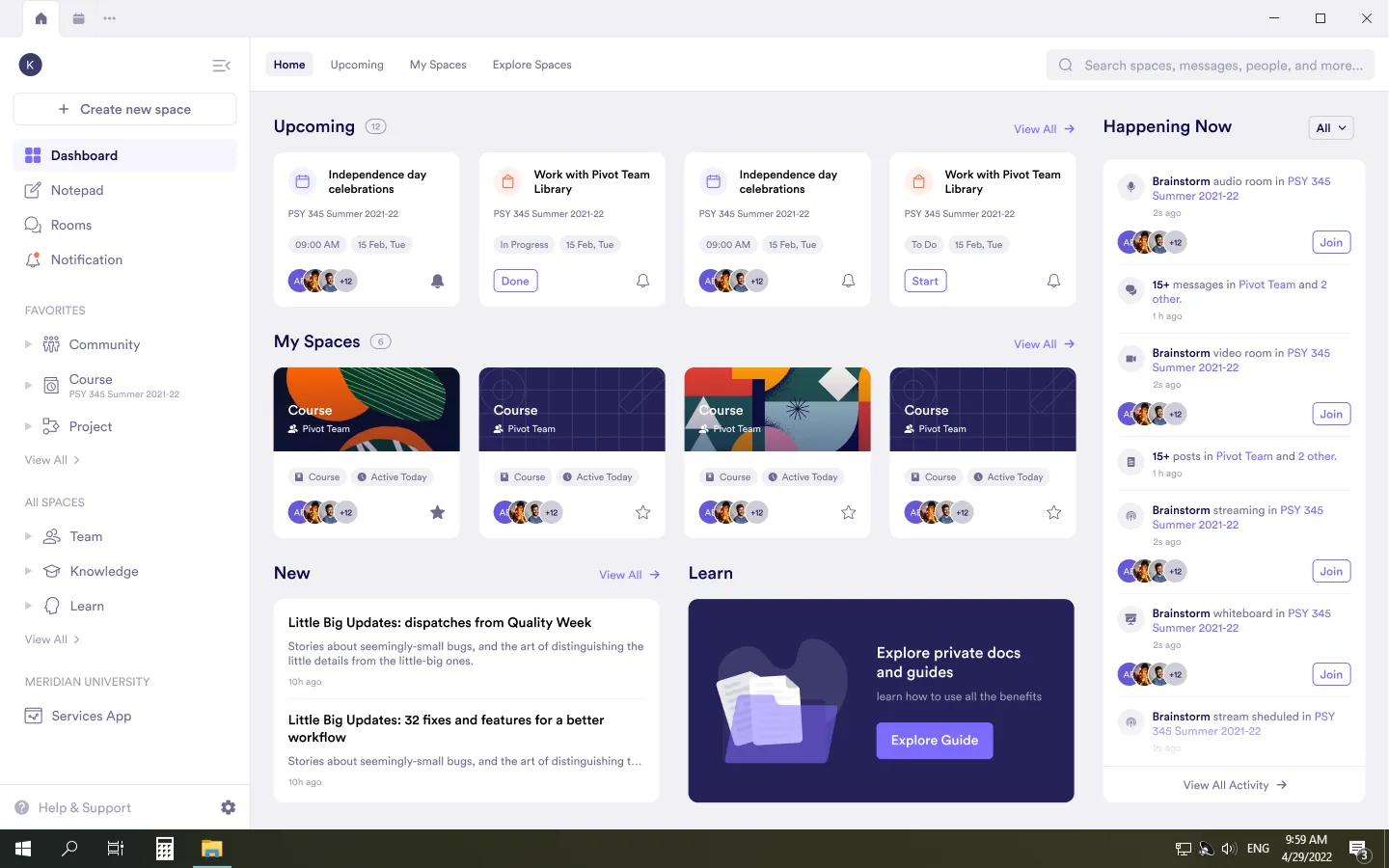
You can:
- Open multiple tabs
- Switch between tabs
- Close tabs when they are no longer needed
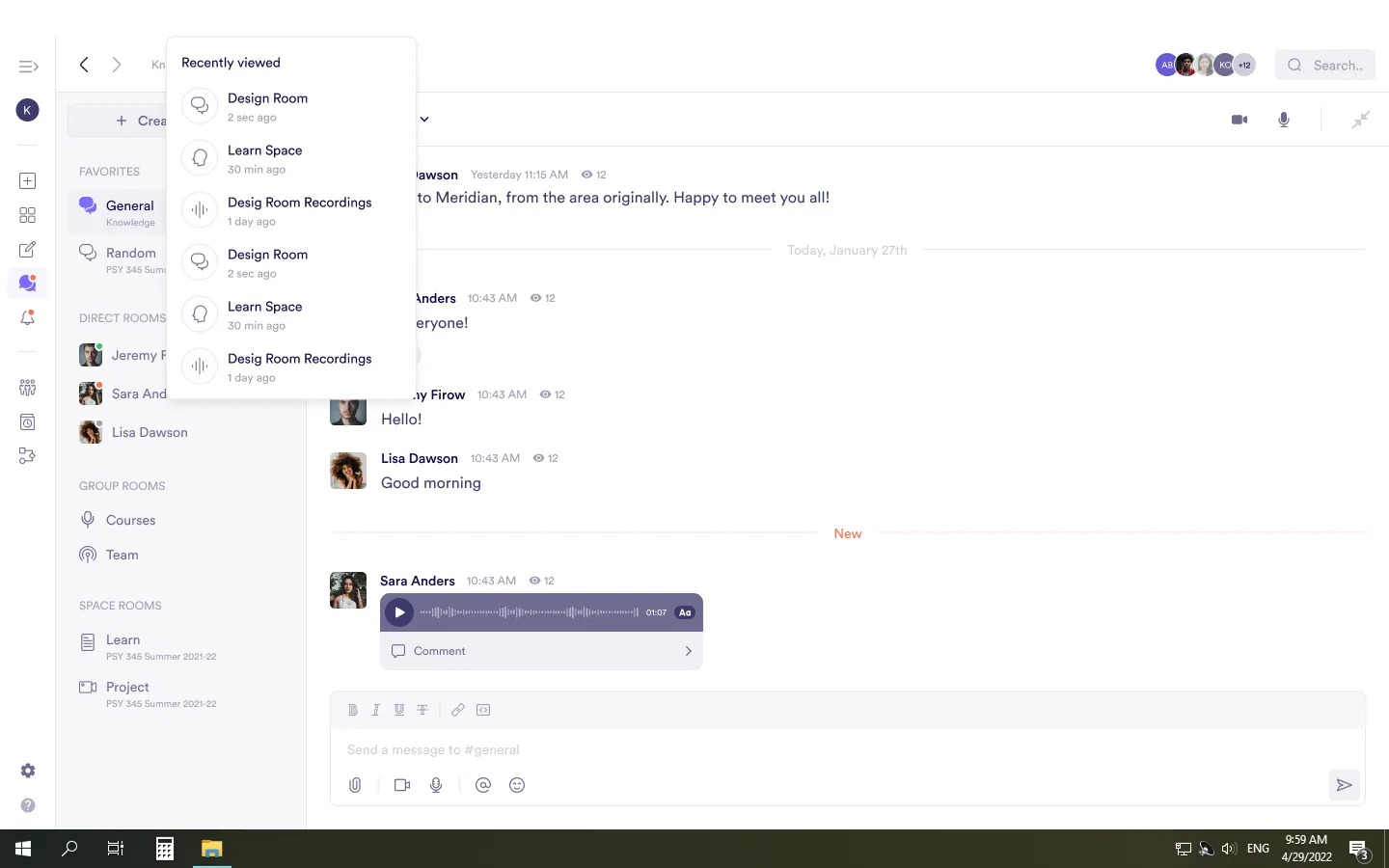
Recently Viewed Tabs
From the more options menu (three dots) in the tab bar, you can view recently opened sections.
This allows you to reopen spaces, pages, or rooms after closing their tabs.
Was this guide helpful?