Direct Messaging
Learn how direct messaging works in Pivot, including how to create and use direct rooms for chat, audio, and video sessions.
In Pivot, direct messaging happens inside direct rooms.
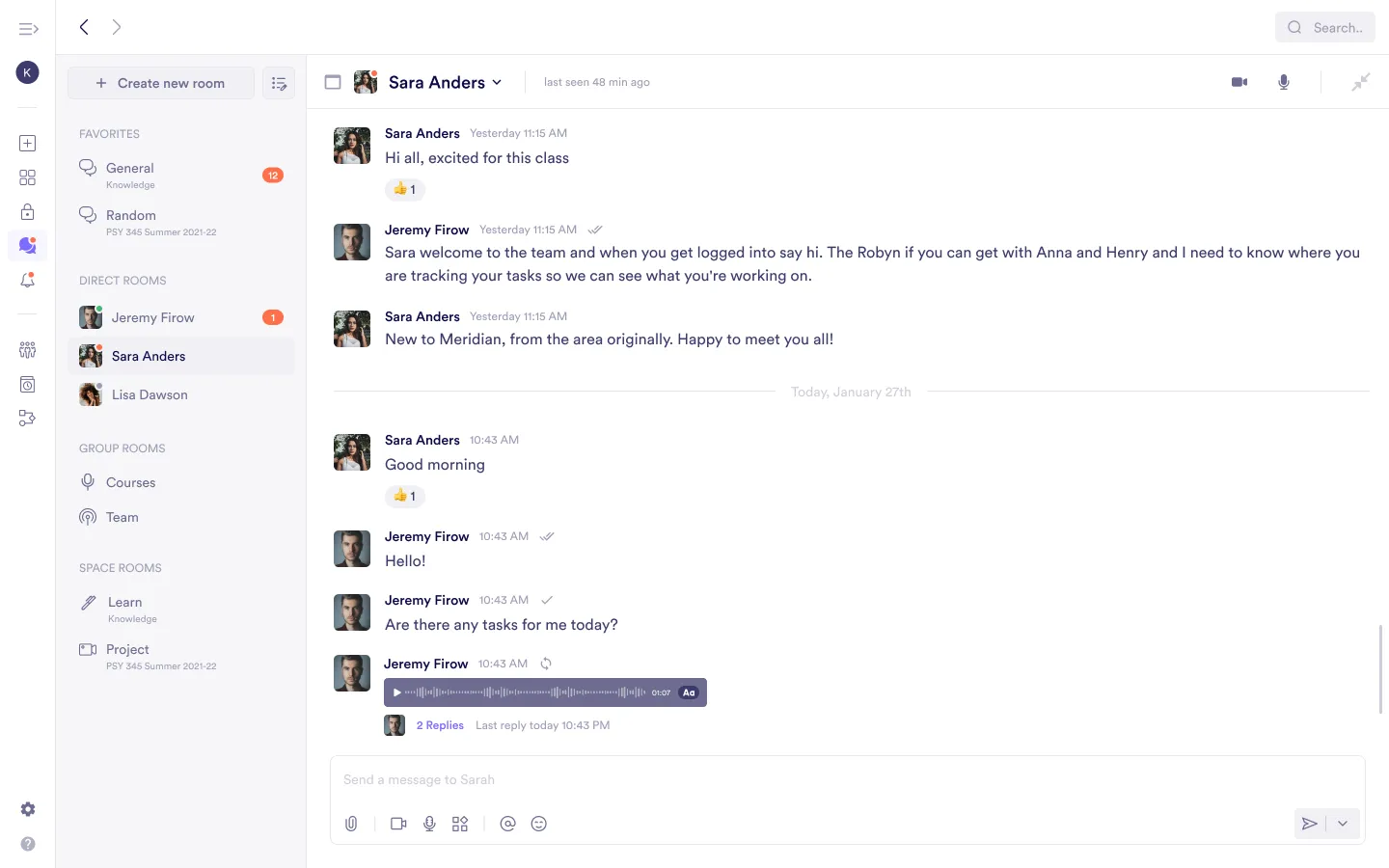
When you message another member, Pivot creates a private direct room between you and that person. A direct room is a chat-based room where you can also start audio or video sessions.
You can start direct messaging from both rooms and spaces.
Direct Rooms
A direct room is:
- A private chat between you and another member
- A persistent conversation space
- A room where you can start audio or video sessions
Inside a direct room, you can:
- Send chat messages
- Start an audio session
- Start a video session
If you begin an audio or video session, it takes place within the same direct room. The chat remains available during and after the session.
Starting a Direct Room From a Room
If you are already inside a room, you can start a direct message without leaving it.
Hover over a member’s profile picture or avatar, then select the chat option. This creates a private direct room with that member.
Once inside the direct room, you can start an audio or video session at any time.
Direct messaging keeps you close to where you are already working. You do not need to leave the current room to start a conversation.
Starting a Direct Room From a Member Profile
Click the member’s profile picture or avatar and open the three-dot menu. From there, select Create direct room.
This opens a private direct room where you can chat and start audio or video sessions.
Starting a Direct Room From a Space
You can also create direct rooms from a space.
From the Space Card
Hover over a member and select the chat option. This creates a private direct room.
From Members on Space Home
You can:
- Hover over a member and select chat
- Open the member’s profile, open the three-dot menu, and select Create direct room
In both cases, a single direct room is created. Audio and video sessions can be started inside that room.
Was this guide helpful?